Check the inventory
Filtering
You can check the results by filtering. For example, you want to check the inventory of warehouse KL and only check products with SKU category Beverages and less than 450. You can do this:

Then click Filter to get the results.
Sorting
You can check the results by sorting. For example, if you want to sort by quantity in ascending order, click the Quantity column:
Not set, default

Ascending order

Descending order

Export
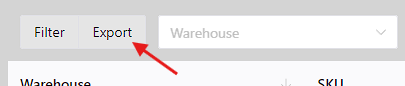
You can export the inventory results to an xlsx file. The result is support for filtering and sorting.
To do this, click the Export button.